


Force Resolver splits one force into two parts. The two directions can be any lines, perpendicular or not, or the x and y axes, or axes tilted along a ramp. Every part is drawn, and the law of sines or the trigonometry behind it is shown with your numbers.
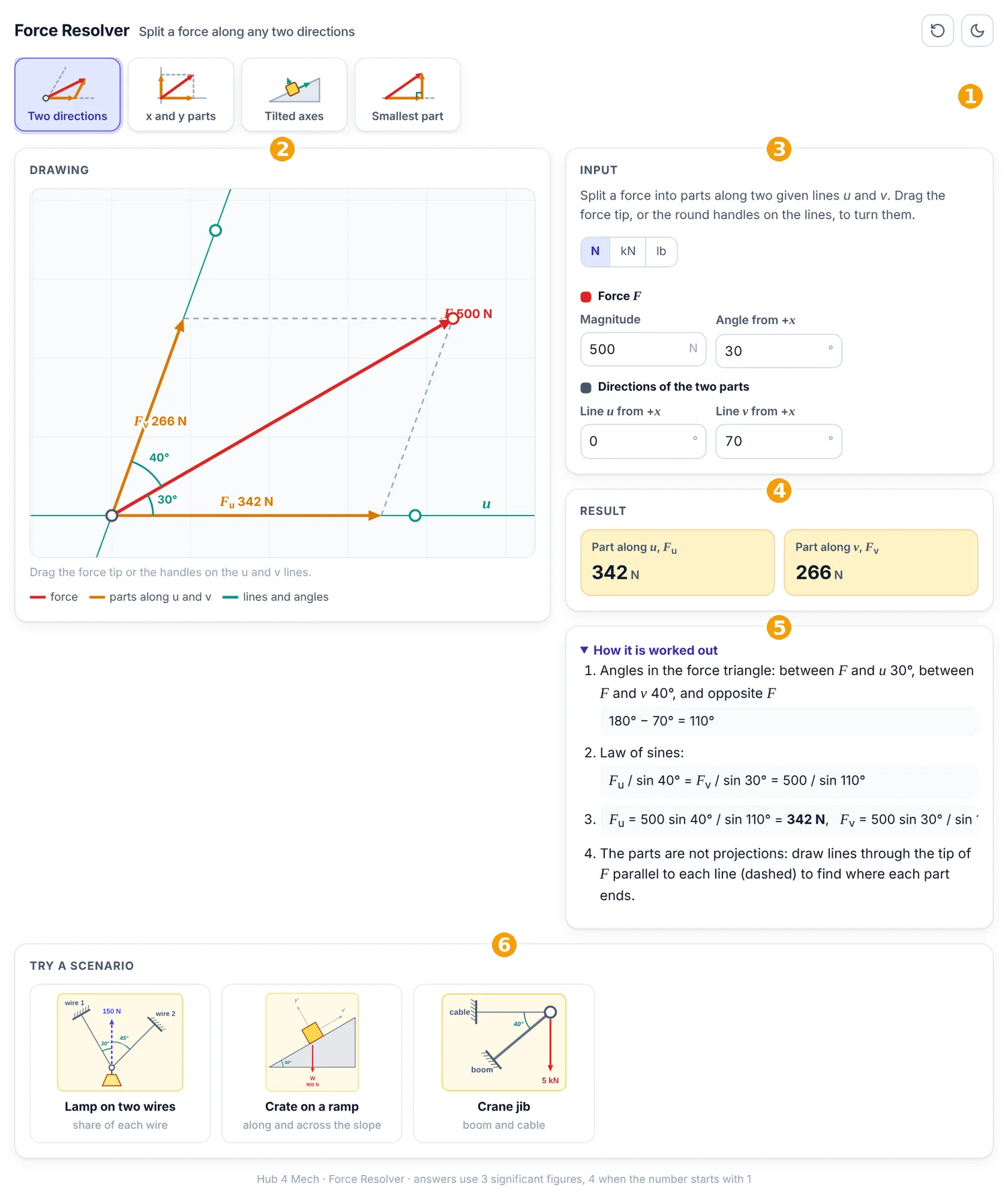
The numbered parts in Figure 1 are:
- Picture tabs: each tab is one task; the picture on it shows what the task draws.
- Drawing: the forces, drawn to scale and updated as you type.
- Input: the values of the task. Units can be N, kN or lb.
- Result: the answers, rounded to three significant figures (four when the number starts with 1).
- How it is worked out: every step of the calculation with your numbers.
- Scenarios: ready-made real situations; one click fills in the values.
1. Two directions
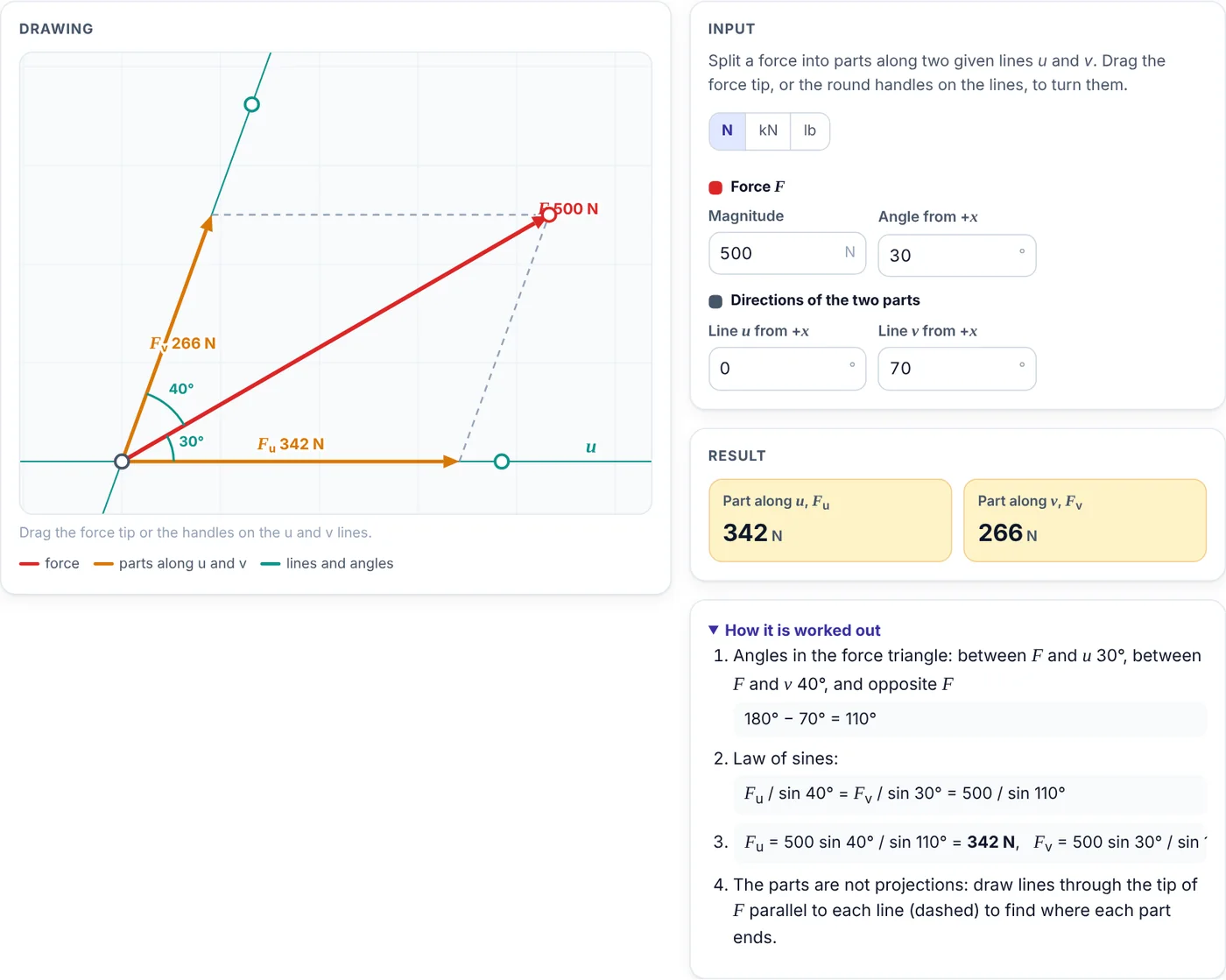
The force is split along two given lines u and v. The dashed lines through the tip of the force, parallel to each line, show where each part ends.
- Type the force and the angles of the lines u and v, or drag the force tip and the handles on the lines.
- Read Fu and Fv; a negative part points the opposite way along its line.
- The steps use the law of sines in the force triangle.
2. x and y parts
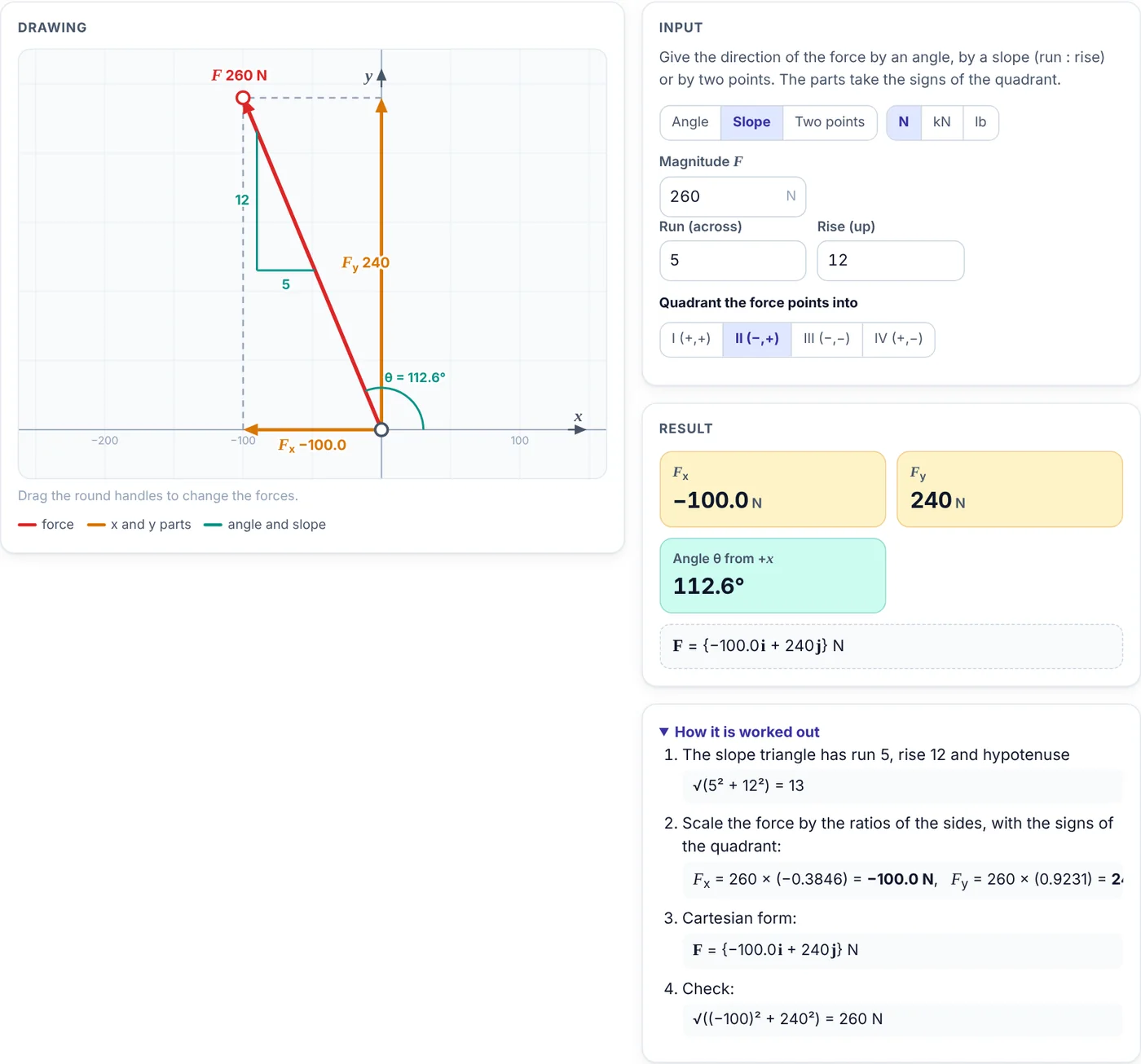
The direction of the force is given by an angle, by a slope (run : rise) or by two points, and the parts take the signs of the quadrant.
- Choose Angle, Slope or Two points.
- For a slope, type the run and the rise and pick the quadrant the force points into; the slope triangle is drawn on the force line.
- Read Fx, Fy and the Cartesian form of the force.
3. Tilted axes
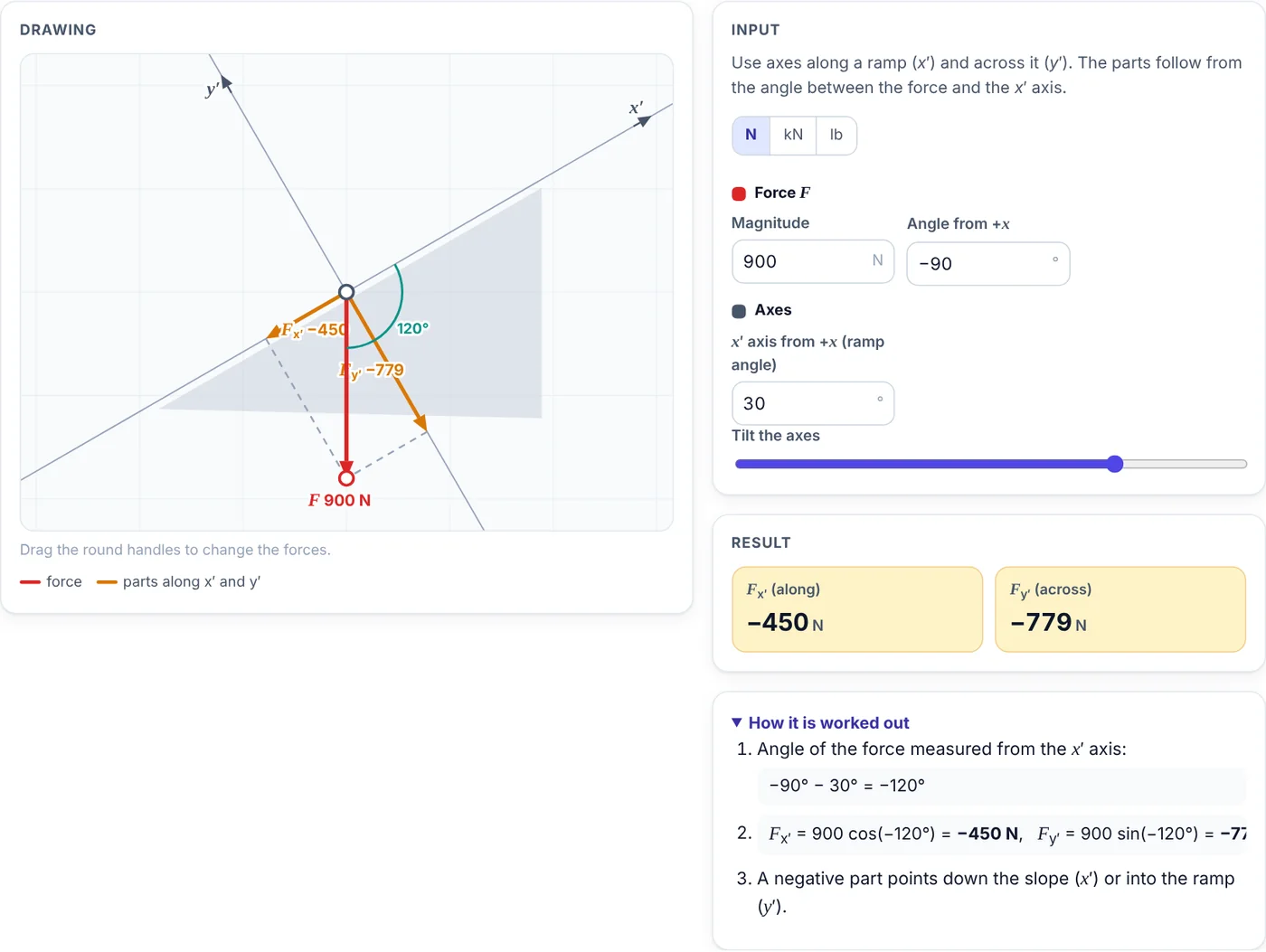
Axes along a ramp (x′) and across it (y′) make incline problems easier.
- Type the force and the angle of the x′ axis, or move the slider.
- Read the part along the ramp and the part into it.
- A negative Fx′ points down the slope.
4. Smallest part
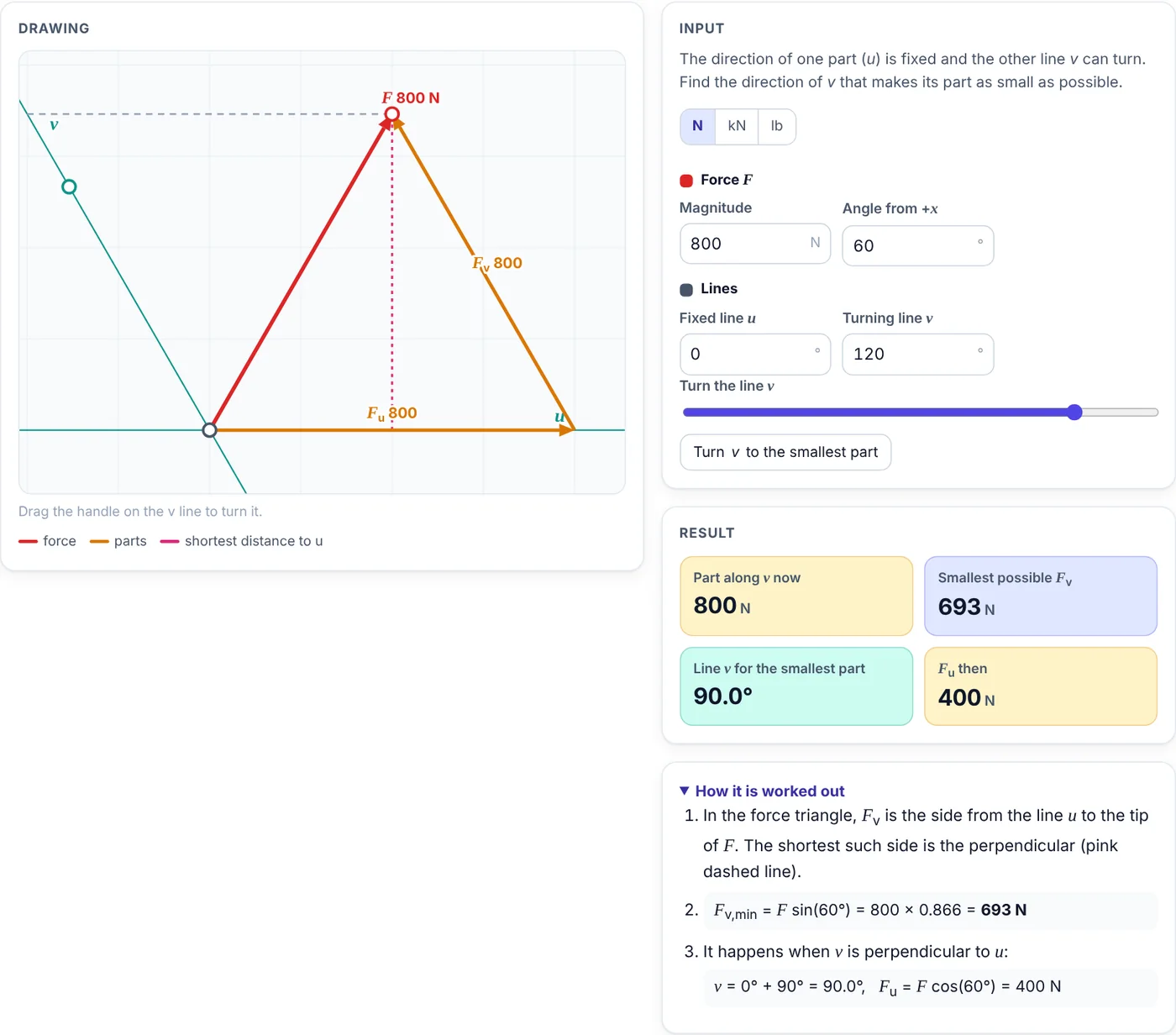
With one direction fixed, the other part is smallest when it is perpendicular to the fixed line.
- Type the force and the fixed line u; turn the line v with the slider or its handle.
- Watch the part along v change; the pink dashed line is the shortest possible part.
- Press Turn v to the smallest part to jump to the answer.
5. Scenarios and phones
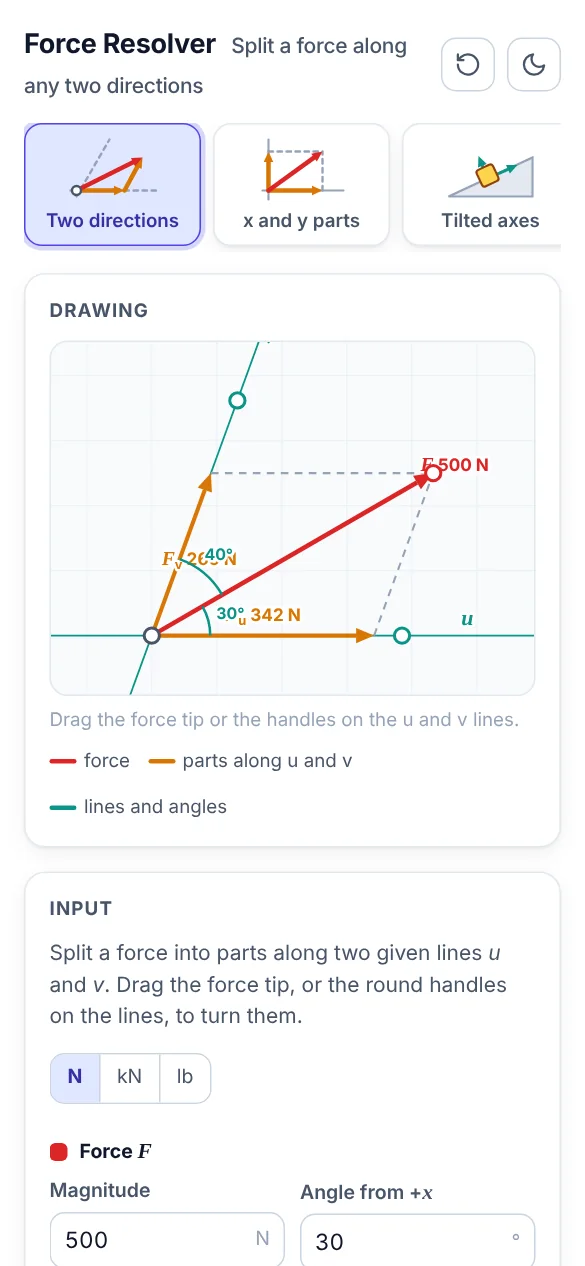
The scenarios load a lamp hanging from two wires, a crate on a ramp and the load at the tip of a crane jib. Each scenario opens the right tab and fills in the values, so you can change them and see what happens.
On a phone the drawing comes first and the input, result and steps follow below it. Swipe the picture tabs sideways to see all of them.
6. Tips
- The button with the circular arrow resets the open tab to its starting values; the moon or sun button switches between the light and dark themes.
- Your last values stay in the browser, so the app opens where you left it.
- Angles are measured counterclockwise from +x unless a tab says otherwise.





Comments 0
Ask how to use this app, report an issue or suggest an improvement.
Join the discussion
Log in to comment, reply and vote. It is free.
No comments yet
Ask a question, share a tip or say thanks. Be the first!