


Time Converter turns a time in one unit into any other, from nanoseconds to years, and splits a duration into hours, minutes and seconds. It also shows how the result is calculated, step by step.
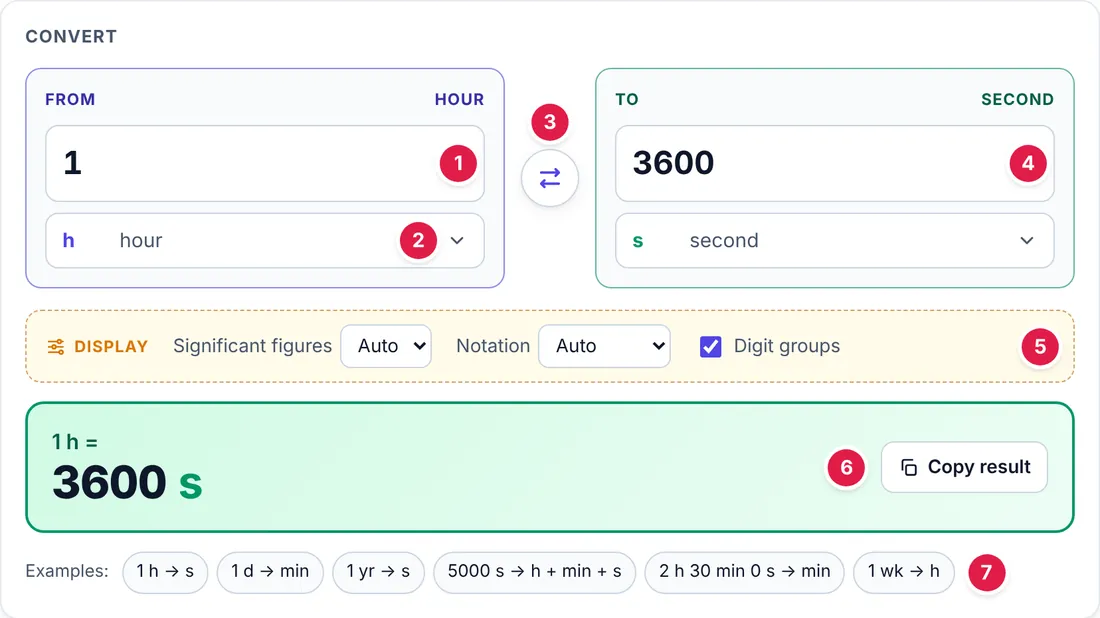
The numbered parts in Figure 1 are:
- From box: the value you want to convert.
- Unit button: shows the unit and opens the unit window.
- Swap: exchanges the From and To units.
- To box: the converted value. You can type here too.
- Display options: significant figures, notation and digit groups.
- Result: the conversion in large type, with a copy button.
- Examples: common conversions, one click each.
1. Converting a value
- Type a value in the From box, for example 1.
- Click the unit button under it and choose the unit, for example hour (h).
- Click the unit button under the To box and choose the unit you want, for example second (s).
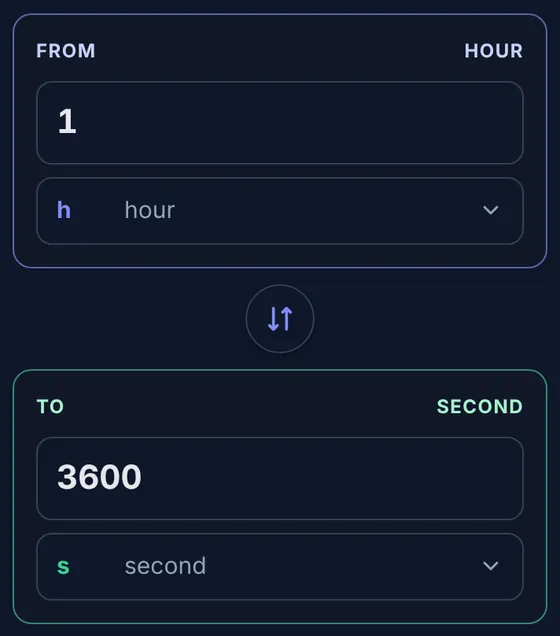
- The converted value appears at once in the To box and in the large result panel: 1 h = 3600 s.
- You can also type in the To box; the From value then follows.
- The round button between the boxes swaps the two units.
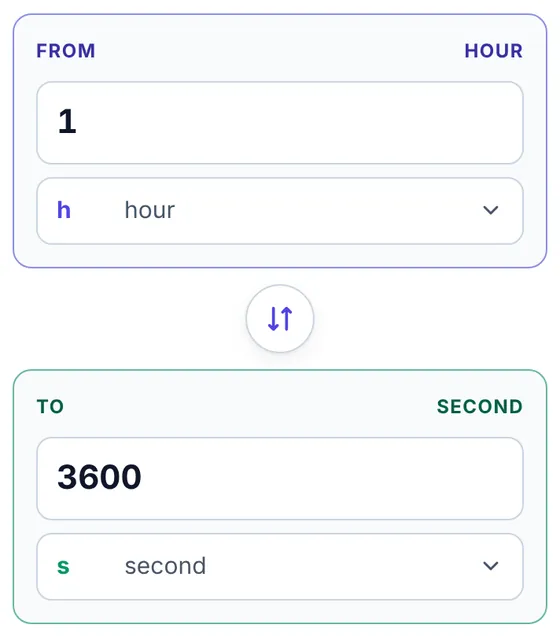
On a wide screen the From and To boxes sit side by side (Figure 1); on a phone they are stacked (Figure 2).
2. Choosing a unit
Click the unit button under a value box. A window opens with every unit of the quantity, in groups; the unit in use is outlined in green.
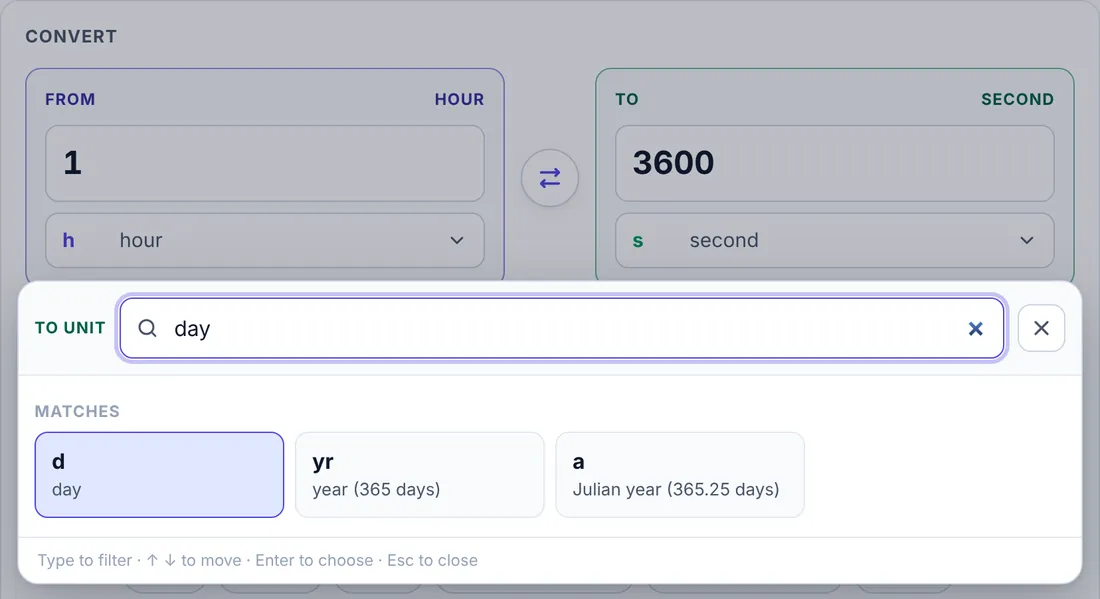
- Search: start typing in the box at the top and the list narrows as you type (Figure 3). The best match comes first.
- You can search by symbol, by name or by another common word for the unit.
- Keyboard: ↑ and ↓ move between the units, Enter chooses, Esc closes the window.
- Clicking outside the window closes it without changing the unit.
3. Entering numbers

The value boxes accept several ways of writing a number:
| Format | Example |
|---|---|
| Decimal (dot or comma) | 2.5 or 2,5 |
| Fraction | 7/16 |
| Mixed number | 3 1/2 |
| Scientific notation | 1.5e-3 or 1.5*10^-3 |
| Digit groups | 1 000 000 |
Choose hours + minutes + seconds as the unit to enter or read a value in 3 boxes (Figure 4): for example 5000 s = 1 h 23 min 20 s. The larger parts are whole numbers; the last part keeps the decimals.
4. Display options and the result
The Display box above the result sets how numbers are shown:
- Significant figures: Auto shows up to 10 digits and drops trailing zeros. Choose 3 or 4 to match the usual accuracy of engineering answers (Figure 5).
- Notation: Auto switches to scientific notation for very large or very small numbers; Plain and Scientific force one style.
- Digit groups: separates thousands with a thin space, for example 1 234 567.

The green result panel repeats the conversion in large type. Copy result copies the value with its unit, ready to paste into a report or a problem answer.
5. How it is converted
This panel writes the conversion as a chain of factors, each a ratio equal to 1. Units that cancel are struck out. Converting between two non-SI units goes through the SI unit, s (Figure 6).
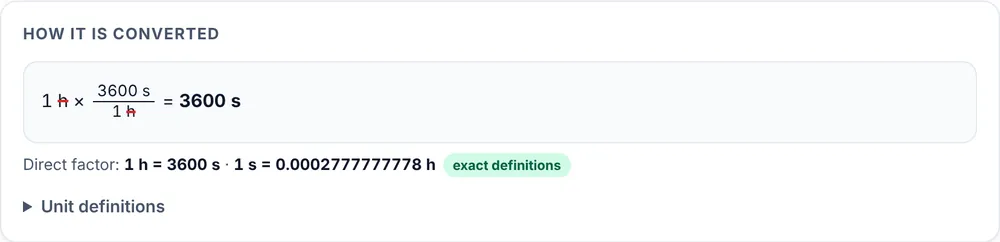
- Direct factor gives one unit in terms of the other, in both directions.
- Unit definitions lists the definitions behind every factor.
All factors are exact. Every unit is defined exactly from the second: 1 min = 60 s, 1 h = 3600 s, 1 d = 86 400 s. Rounding happens only in the displayed result.
6. All units
The last panel lists the same time in every unit at once, in two columns on a wide screen (Figure 7).
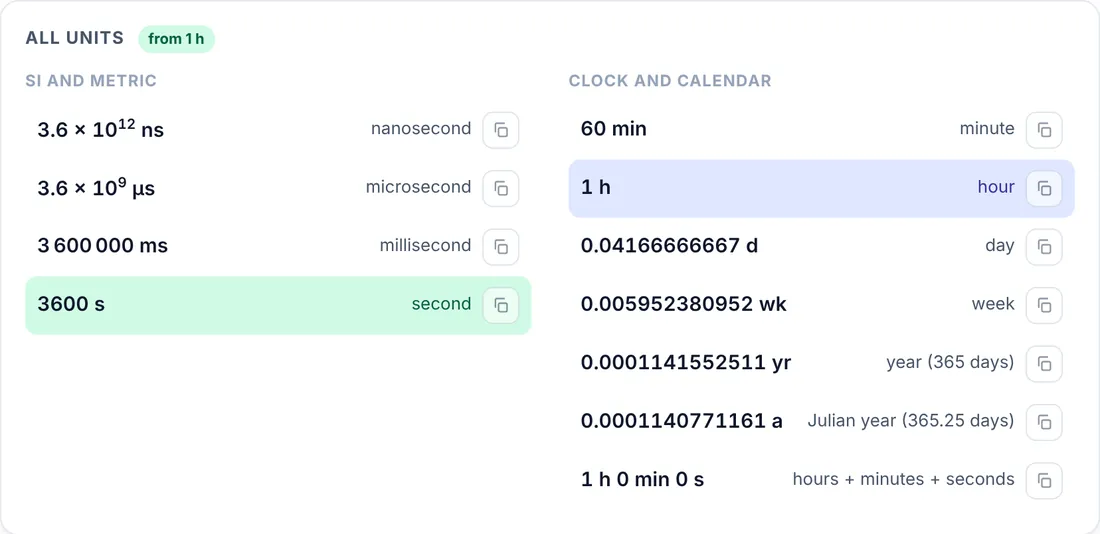
- The From unit is marked in blue and the To unit in green.
- Click a row to make it the To unit, or use its copy button to copy that value.
7. Theme and saved settings
The moon or sun button at the top right switches between the light and dark themes (Figure 8).
The converter remembers your last values, units and display options on this device, so it opens where you left it.
8. Units included
| Group | Units |
|---|---|
| SI and metric | ns, μs, ms, s |
| Clock and calendar | min, h, d, wk, yr, a, h + min + s |








Comments 0
Ask how to use this app, report an issue or suggest an improvement.
Join the discussion
Log in to comment, reply and vote. It is free.
No comments yet
Ask a question, share a tip or say thanks. Be the first!